Animate pixel art fire

The shape of fire
Fire never repeats, and it never stops. That makes it one of the most satisfying things to draw in pixels, because a few frames and a few colours are enough to fool the eye. The trick is to make the fire look random while it is really a short loop that repeats every 600 ms.
Look at fire for a minute and three things stand out. The base is steady: it is wide, bright and it hardly moves. The middle pulses, growing and shrinking as the fuel burns. The tip is wild: it leans, splits, flickers and sometimes throws off a spark. Give each part its own amount of movement and you have fire.
Open the campfire in the editor and press Space. It has six frames at 100 ms each. It is a new project on every open, so you can take it apart without changing this page.
Colours and frames
The campfire uses four colours from the editor's default palette: red for the outer flame, orange for the middle, yellow for the core and brown for the log. Hot fire is lighter in the middle and darker at the edge, so the colours are layered like an onion: red outside, orange inside it, yellow inside that.
- Frame 1. A flame with its tip leaning a little to the left. The yellow core is short and thin.
- Frame 2. The flame is one pixel taller and the tip leans to the right. The core is longer.
- Frame 3. The tip has split in two and a single yellow spark floats above it.
- Frame 4. A wider flame, with the tip pushed to the right.
- Frame 5. A second spark, higher than the first, and the tip back on the left.
- Frame 6. The tip eases back to the left, the way frame 1 leans, so the loop closes.
The log and the bottom row of the flame are the same in every frame, and the top half is what changes. That is why it looks like one fire and not six pictures.
Steps
- Start a 16 pixel sprite (File, New sprite, 16, Create) and draw the log along the bottom, then the base of the flame above it. Use the Pencil for the outline of the red and the Bucket to fill the orange and the yellow.
- Press D to duplicate the frame. The copy appears after it and becomes the current frame. On the copy, only change the top of the flame.
- Make the changes small. Move the tip one or two pixels, add or remove a pixel from the edge, and shift the core by one. Press D again and repeat for each frame.
- Add the sparks. A spark is one yellow pixel, two or three pixels above the tip. Put one in frame 3 and one, higher, in frame 5. Do not put a spark in two frames in a row.
- Press Space to play. Watch the moment the last frame goes back to the first. If the flame jumps, change frame 6 until it does not.
- Set every frame to 100 ms with the Duration box (on a phone, Expand timeline, then Frame actions, then Set duration), or select all six and set them together.

Set the timing
Fire is steady, so the frame times are equal: 100 ms each, ten frames a second, 600 ms for the loop. Uneven times make fire look like it is stuttering. If you want it to feel hotter, lower every frame to 80 ms. For a slow candle, go the other way, to 140 or 160 ms and with fewer frames.
The editor takes 10 to 65535 ms for each frame, set in the Duration box beside the timeline. On a phone the Duration box is not there: tap Expand timeline, then Frame actions, and choose Set duration.
Export the GIF
Open Export with Ctrl+E, pick the GIF tab and press Export GIF. A fire loops by nature, and the GIF loops forever, so it will run on a web page or a message with no setup.
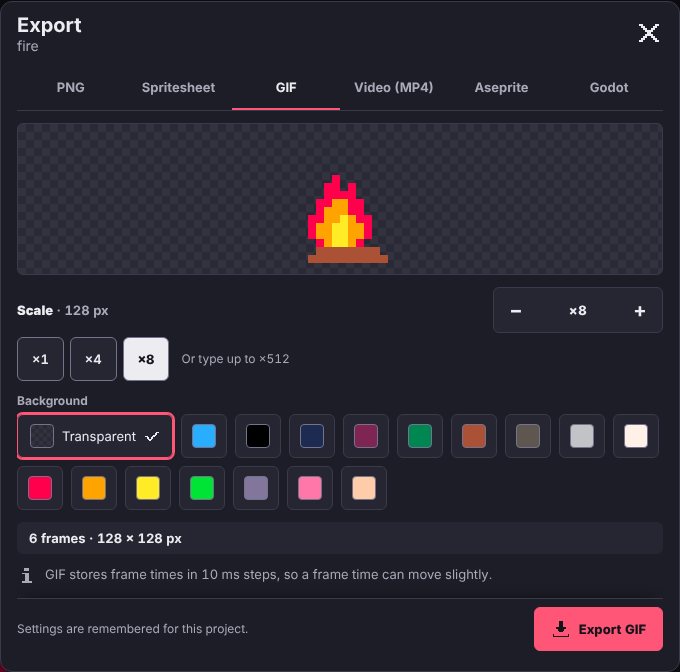
The Background row offers Transparent, so the fire sits on whatever it is placed on, or one of the sprite's own palette colours for a solid night behind it.
Tips
- Put the sparks on a different rhythm. Frame 3 and frame 5 are two apart. If you add a third spark, space it differently, or the eye finds the pattern.
- Do not outline the fire in black. Fire is light, and a black outline makes it look like a cartoon sticker. Let the red edge be the outline.
- Keep the yellow small. Yellow is the brightest colour, so a little goes a long way.
- Try the same fire in another palette. The palette pages have swatches for each set and a link that opens the editor with it loaded.
For a fire that ends instead of looping, the explosion guide is the same colours in a one-shot.